

OpenAI's new Businesses in ChatGPT beta lets eligible businesses claim a free profile, update their information and see insights into how they appear in ChatGPT. But claiming your profile doesn't guarantee more recommendations, so your website and other online listings still matter.
Imagine someone asks ChatGPT to recommend a commercial HVAC contractor in their area. Your business comes up, but ChatGPT describes you as a residential HVAC repair company, and the person moves on without ever visiting your website. That’s a frustrating way to lose a potential customer, especially when the correct information is already on your site.
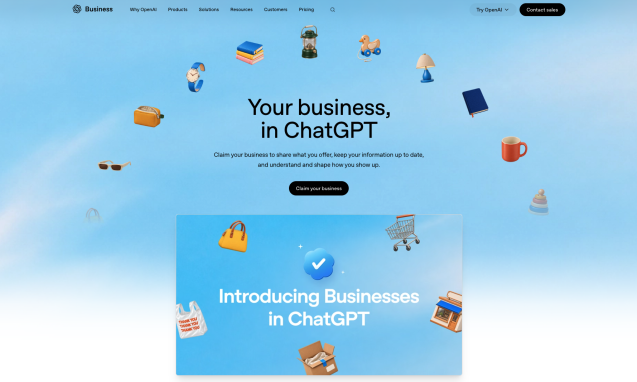
On November 10, OpenAI introduced Businesses in ChatGPT, a new beta that lets eligible businesses claim their profiles, update their information and see how they’re appearing in ChatGPT. OpenAI says 1.2 billion people use ChatGPT every week, so it’s worth paying attention to what the platform says about your business.
We recommend that eligible businesses claim their profiles. But there’s an important distinction between making sure ChatGPT has accurate information about you and actually getting ChatGPT to recommend you.
Here’s what the new tools can do and what business owners should know before getting started.
What is Businesses in ChatGPT?
If you’ve ever claimed a Google Business Profile, the idea will sound familiar, although the tools work differently.
Businesses in ChatGPT lets you manage information about your company through a dashboard called Business Hub. Once your business is verified, you can update details about what you offer, connect a product feed if you sell products and see insights about how ChatGPT references your business.
Some businesses can also create a Business Agent, an AI assistant that answers customer questions using information the business provides.
You can access Business Hub from the ChatGPT sidebar or visit it directly.
Does it cost anything to claim your business?
Claiming your business profile is free during the beta. And despite the similar names, Businesses in ChatGPT isn’t the same thing as ChatGPT Business, OpenAI’s paid subscription for teams. You don’t need a paid ChatGPT plan to claim or manage your profile, although OpenAI hasn’t said whether these features will remain free after the beta.
Who can claim a business profile in ChatGPT?
Business owners and authorized representatives can claim eligible businesses wherever ChatGPT is available, and OpenAI supports the required verification. There are some limitations, though.
Online businesses can claim an existing listing or, if eligible, add a new one.
Local businesses, including stores and restaurants, can currently claim only existing listings in the United States. If your business isn’t listed, you may not be able to create a profile just yet.
The process is less clear for service-area businesses that travel to customers rather than serving them at a storefront. OpenAI hasn’t published specific instructions for every type of business, so you’ll need to check what’s available in Business Hub.
OpenAI also says eligibility depends on factors such as industry and location, and businesses generally need a website. Companies already working with OpenAI through ChatGPT Enterprise or advertising can contact their OpenAI representative about claiming a profile.
If you don’t see your business or can’t complete the claim process, it may simply mean your business isn’t eligible yet. OpenAI plans to expand the program to more markets and business categories.
How to claim your business in ChatGPT
The process starts in Business Hub. OpenAI needs to verify that the business is legitimate and that the person claiming to represent it has permission.
Here’s what to do:
- Sign in to ChatGPT and open Business Hub. Search for your company and select the correct listing. Eligible online businesses may have an option to create a new profile if one doesn’t exist.
- Verify your connection to the business. Depending on the listing, ChatGPT may offer verification through a text message or automated call to your business number, a code sent to your business email, a DNS record added to your website’s domain or a connection to your Shopify store.
- Wait for OpenAI to approve the claim. You’ll receive an email with a decision or a request for additional information. OpenAI doesn’t guarantee how long the review will take.
- Complete identity verification through Persona. This is a separate step that confirms you’re authorized to represent the business. You may need a government-issued ID, business registration details or other documentation.
- Finish setting up your profile. Once both approvals are complete, your business receives a blue verification check. You can then update its information, access insights and invite teammates.
There are a few things worth considering before you begin.
First, think about who should manage the profile long term. The account that claims it becomes the administrator, so it’s a good idea to use an account associated with a company-managed email address. Other employees and agency partners can be invited afterward using their own ChatGPT accounts.
You’ll also want someone with access to your business records involved in the verification. An authorized representative can help manage the process, and a company such as Infomedia or Uptick Marketing can be added to maintain the profile after it’s claimed.
If you have multiple brands or locations, claiming your main company won’t automatically claim them all. OpenAI doesn’t currently offer centralized management across all brands and locations.
One other thing to know: If you’re creating a new listing through Persona, the profile publishes automatically after approval. OpenAI says published profiles can’t simply be deleted or unpublished through its normal support process, so make sure you’re ready before submitting.
And if someone else has already claimed your business, Business Hub offers a process to dispute ownership.
What can you change on your ChatGPT business profile?
Once you’re verified, you can give ChatGPT more accurate information about your company. That includes details such as your business description, website, contact information, business category, hours, location and images, depending on the type of profile.
For businesses selling products online, there are additional options. You can add delivery and return policies and connect a product feed through Shopify, a CSV upload or a hosted feed. That gives ChatGPT access to information about your products, including pricing and availability.
You won’t necessarily see every change right away. OpenAI reviews updates before publishing them, and it may take additional time for the new information to appear in ChatGPT’s answers.
It’s also important to understand that updating your profile doesn’t mean ChatGPT will only use the information you’ve provided. It can still reference other sources when answering questions about your business.
What do the insights in Business Hub actually tell you?
For the first time, eligible businesses can see some of OpenAI’s own data on how they appear in ChatGPT. Business Hub provides aggregated insights covering the past 28 days, including mentions, website clicks and discovery topics.
Before you dive into the numbers, here’s what each metric actually tells you.
Mentions don’t necessarily count every time ChatGPT says your business’s name. For online businesses, a mention counts when ChatGPT references your website. For local businesses, it counts when ChatGPT displays your location in a result, even if the person never clicks on it.
Website clicks show how often someone clicked a link to your website from ChatGPT. That may not mean they completed a visit or became a customer.
Discovery topics show common themes in ChatGPT answers that mentioned or cited your business. They won’t show you individual conversations or the exact questions customers asked, but they can help you see which subjects are associated with your company.
OpenAI’s example dashboard also includes profile views, although its help documentation doesn’t yet explain exactly how that metric is calculated.
Of these insights, we’re especially interested in discovery topics. If ChatGPT frequently mentions your company in connection with a particular service, that’s worth noting, as it may help you identify topics you could explain more thoroughly on your website.
Just don’t treat the data as a complete picture of customer intent. OpenAI doesn’t share individual prompts or customer conversations with businesses.
You might also see blank metrics when you first open your dashboard. OpenAI requires a minimum amount of activity before reporting certain insights, and some data may still be processing.
What are Business Agents in ChatGPT?
Business Agents are a separate feature that lets eligible businesses answer customer questions directly inside ChatGPT. For example, someone comparing two products could open a business’s ChatGPT profile and start a conversation with its agent. The agent uses information provided by the business to answer questions about products or policies.
The conversation is clearly labeled so customers know they’re talking to an AI agent representing that business, rather than receiving ChatGPT’s independent recommendations.
There are limits to what these agents can do. Right now, they can explain offerings and send customers to a company’s website, but they can’t complete purchases, check an order’s status or make bookings.
Business Agents aren’t available to everyone yet, either. During the beta, they’re limited to eligible e-commerce and online service businesses in the United States that have a website.
Businesses can choose to sponsor an agent through ChatGPT advertising, but advertising is optional and separate from the free agent experience.
For most local businesses, claiming a profile and reviewing the available insights are the more relevant opportunities for now.
Will claiming your profile help ChatGPT recommend your business?
Not automatically.
OpenAI has been clear that claiming a profile doesn’t guarantee better placement, increased visibility or more sales. ChatGPT continues to make its own recommendations, regardless of whether a company has claimed its listing. So, while the blue verification check may help customers recognize an official business profile, it isn’t a shortcut to the top of ChatGPT’s recommendations.
ChatGPT can also draw information from websites and third-party sources. For local businesses, those sources may include review sites and online directories. Yelp, for example, has a licensing agreement with OpenAI that allows ChatGPT to use Yelp’s reviews, ratings, photos and other business information. That’s one more reason to check whether the information on your Yelp listing is accurate.
Your website is still the place where you have the most control over how your business is explained. If your services page barely describes what you do, you’ve missed an opportunity to give both potential customers and AI tools useful information. A detailed service page that explains your actual expertise is far more helpful than a few vague sentences.
We’ve written about this before in our post Why Your Website Still Matters in an AI-First World. AI may change how people find businesses, but businesses still need websites that explain what they do and give people a reason to trust them.
Claim your profile, then check what ChatGPT already knows about you.
Before you open Business Hub, try asking ChatGPT about your own business, such as what your company specializes in or whether it would recommend you for a service you provide. See how it describes your work, then look at any sources it links to. Is the description accurate? Does it mention the services you most want customers to find? Is it pulling information from an old directory listing or a page on your website that you haven’t updated in years?
Compare what you find with your website, Google Business Profile and other relevant listings. You may discover that the problem isn’t just what ChatGPT says about your business, but rather the information available for ChatGPT to find.
Claiming your business profile is a great first step, and the new insights give you another way to understand how your company appears online. But remember that keeping your website and other listings accurate is still essential.
If you’d like help claiming your profile or want to know what ChatGPT currently says about your business, contact our team. We can review the answers ChatGPT is giving, look at the sources behind them and help you decide which website pages or listings deserve attention first.
